
Understanding your Content Studio Score
What your Slop Score means in Content Studio, how channel settings change it, and how to lower it with 1-Click replacements, Auto-Polish All and banned words.
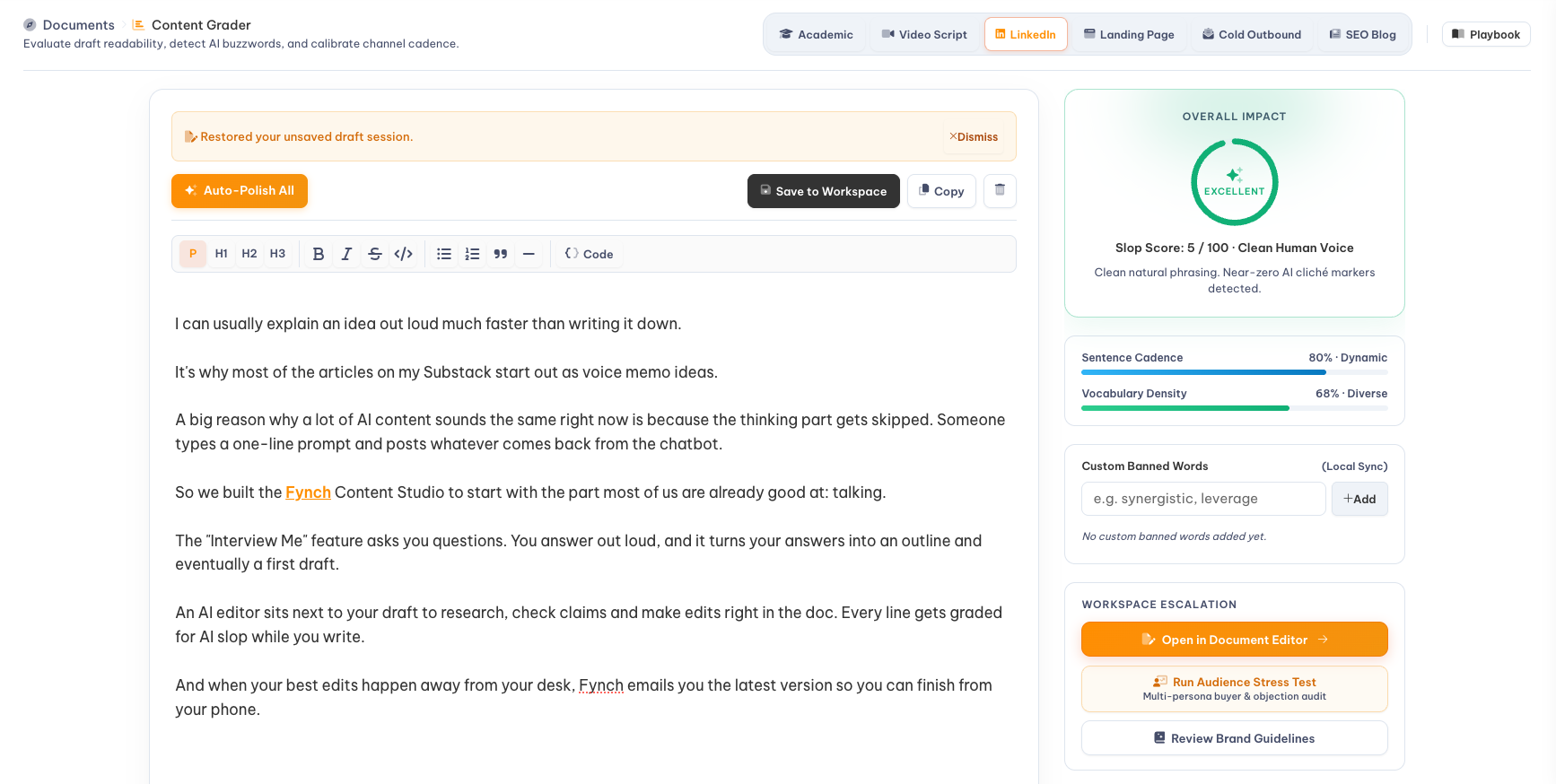
Your Slop Score runs from 0 to 100, and lower is better. A low score means your draft reads like a real person wrote it. A high score means it leans on formulaic AI buzzwords, filler and repetitive sentence patterns. The score updates as you edit.
Where to find it
Select Grade in the left menu to open the Content Grader. Paste or write your draft in the editor, and your score appears in the Overall Impact panel on the right.
Pick your channel first
Choose where your content is going from the options at the top: SEO Blog, LinkedIn, Landing Page, Cold Outbound, Video Script or Academic. Each one is graded against what works for that channel, so a strong LinkedIn post and a strong blog article aren't held to the same standard.
What's behind your score
| Measure | What it tells you |
|---|---|
| Slop Score | How much of your draft relies on AI buzzwords and clichés (lower is better) |
| Sentence Cadence | Whether your sentence lengths vary naturally. Repeating the same rhythm reads as robotic. |
| Vocabulary Density | How specific your word choices are, versus generic filler |
| Readability | The reading grade level, shown below the editor |
How to lower your score
- Fix highlighted words. Click a highlighted word or phrase to see 1-Click Authentic Replacements, then click one to swap it in.
- Polish everything at once. Select Auto-Polish All to improve the whole draft in one step.
- Add specifics. Real numbers, names, quotes and examples lower your score faster than rewording.
- Ban your own words. Go beyond the standard words you never want to see, like
synergyorleverage, by adding them under Custom Banned Words. Going forward, the grader will flag them.
When you're done
- Copy: Paste your draft wherever it's going.
- Save to Workspace: Keep it in your Documents.
- Open in Document Editor: Keep working with the chat panel and teammates.
- Run Audience Stress Test: See how different buyer types might react, and what objections they might raise.