Installing the Fynch pixel
Install the Fynch pixel to track the website metrics that matter and publish AI Search fixes to your site automatically, with no copy-and-paste.
The Fynch pixel is a small piece of code you add to your website once. It tracks the visitor and conversion numbers that matter, without the complexity of Google Analytics. It also lets Fynch publish your AI Search fixes to your site automatically, so you don't have to paste code into every page.
What you'll need
- A Fynch trial or paid plan
- Access to edit your website, or a developer who can add the code for you
Install the pixel
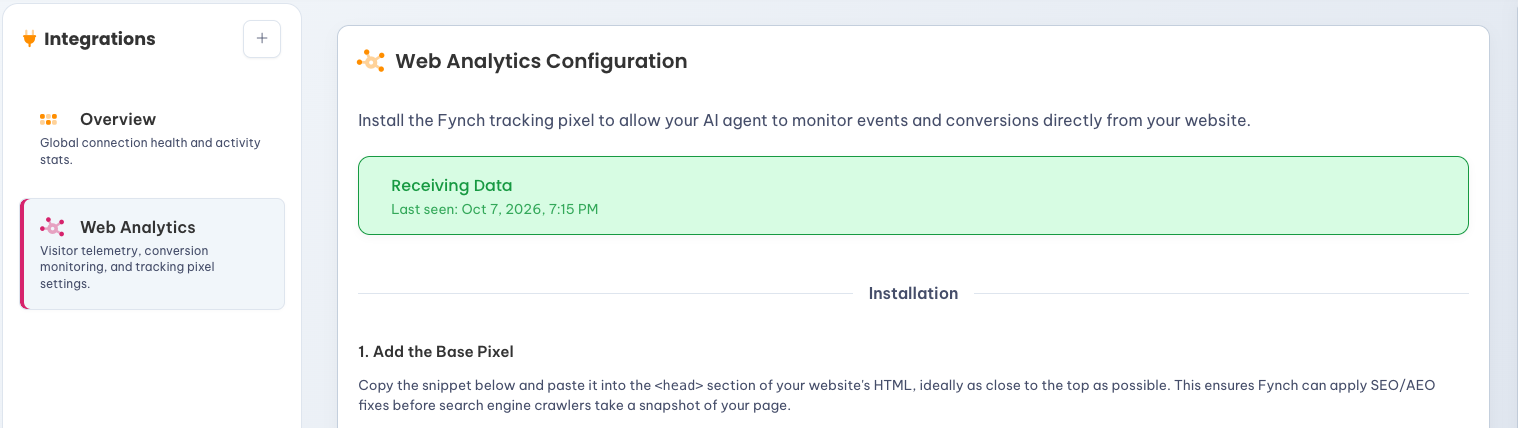
- Select your profile icon, then
Integrations → Web Analytics. - Select
Copy Snippet. - Paste it into the
<head>section of your website, as close to the top as possible. This lets Fynch apply fixes before search engines and AI tools read the page. Where to paste head code in your website builder → - Publish your site.
- Under
Authorized Domains, add your website's domain, likeyourbusiness.com. Add any subdomains, likeshop.yourbusiness.com, separately. - Visit your website once, then return to Web Analytics. When it shows
Receiving Data, you're set. No DNS changes or other setup are needed.
Don't want to touch code? Select Forward to Developer to email the snippet and instructions to whoever manages your site.
How automatic fixes work
Once the pixel is installed, Fynch can apply the schema, meta tags and answer-first copy from your AI Search report directly to your pages, with no copying or publishing on your end. Fixes are applied before your page reaches visitors, so search engines and AI tools like ChatGPT and Perplexity see them too.
Advanced options
These are optional, and usually set up by a developer:
- Tracking Custom Conversions: Count specific actions, like a form submission or button click.
- Cross-Domain Tracking: Follow visitors across more than one of your domains.
- Anti-Flicker Snip: Stops visitors from briefly seeing the old version of a page while fixes load.