Personas
Mastering Specialized Voices
While your Brand Guidelines define your company’s "official" personality, Personas allow you to capture and reuse specific writing styles for different authors, platforms, or audiences. This feature ensures that even when you aren't writing in your primary brand voice, the output remains authentic and consistent.
What is a Persona?
A Persona is a saved set of stylistic rules (including tone, sentence structure, and vocabulary) that I apply as a "layer" over your content. Think of it as a specialized filter. You might have one Persona for your CEO's thought-leadership posts on LinkedIn and another for your brand’s more casual, emoji-rich Instagram captions.
Why use Personas?
Using Personas moves you beyond generic AI writing and into high-fidelity content creation.
Multi-Channel Strategy: You can maintain a formal tone for whitepapers while switching to a punchy, conversational tone for social media without rewriting your core guidelines.
Executive Presence: Capture the unique cadence and "verbal tics" of your leadership team to ghostwrite articles that actually sound like them.
Efficiency at Scale: Instead of describing a style every time you send a request, you simply reference the Persona name (e.g., "Use the Tech Support persona").
How to create a Persona?
There are two ways to build your library of Personas in the Workspace:
1. Style Extraction (The "Magic" Way): The fastest way to create a Persona is to let your agent analyze an existing piece of writing. It will break down the voice, tone, and formatting quirks and save them for you.
From a URL: Share a link to a blog post or profile.
"Create a persona called 'Industry Expert' based on the writing style at this link: [URL]"
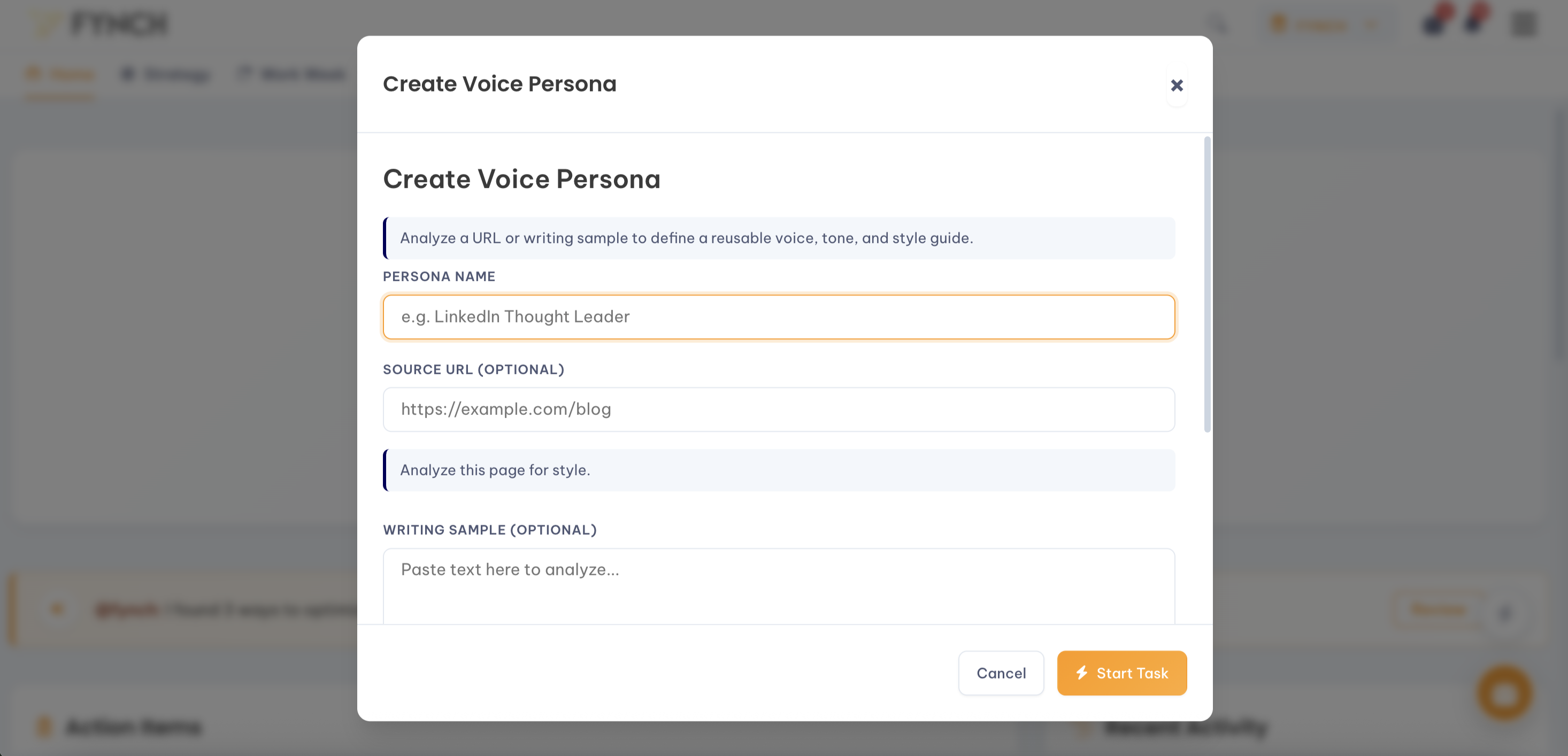
From Text: Paste a sample of writing directly into our chat or Quick Action form field.
"Analyze the tone of this text and save it as a new persona named 'Community Manager': [Paste Text]"
2. Manual Definition: If you have a specific style guide for a persona, you can enter the details manually in the Personas section of your Workspace. Define the tone (e.g., "Wry and witty"), sentence structure (e.g., "Short and punchy"), and any specific words the persona frequently uses.
How to use your Personas
Once a Persona is saved to your Workspace, you can trigger it in any content request. Simply tell me which Persona to use.
Examples:
"Draft a 3-part LinkedIn sequence about our new feature using the CEO Voice persona."
"Write a newsletter intro in the Friendly Educator persona."
"Rewrite this product description using the Minimalist persona."
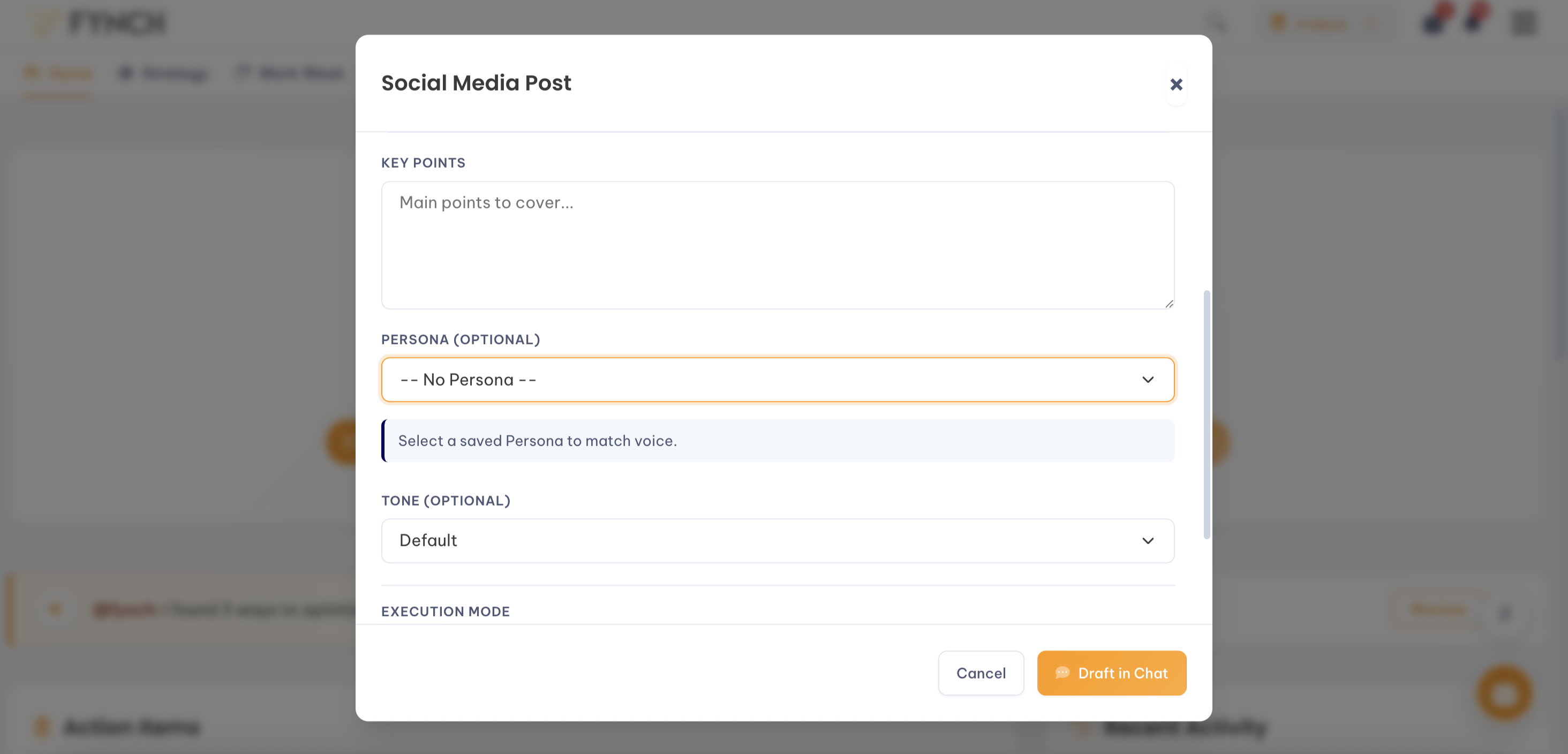
Or within any content-related Quick Action (e.g. Create Social Post), you have the option to select any existing Personas to have the output use it directly.
Managing your Personas
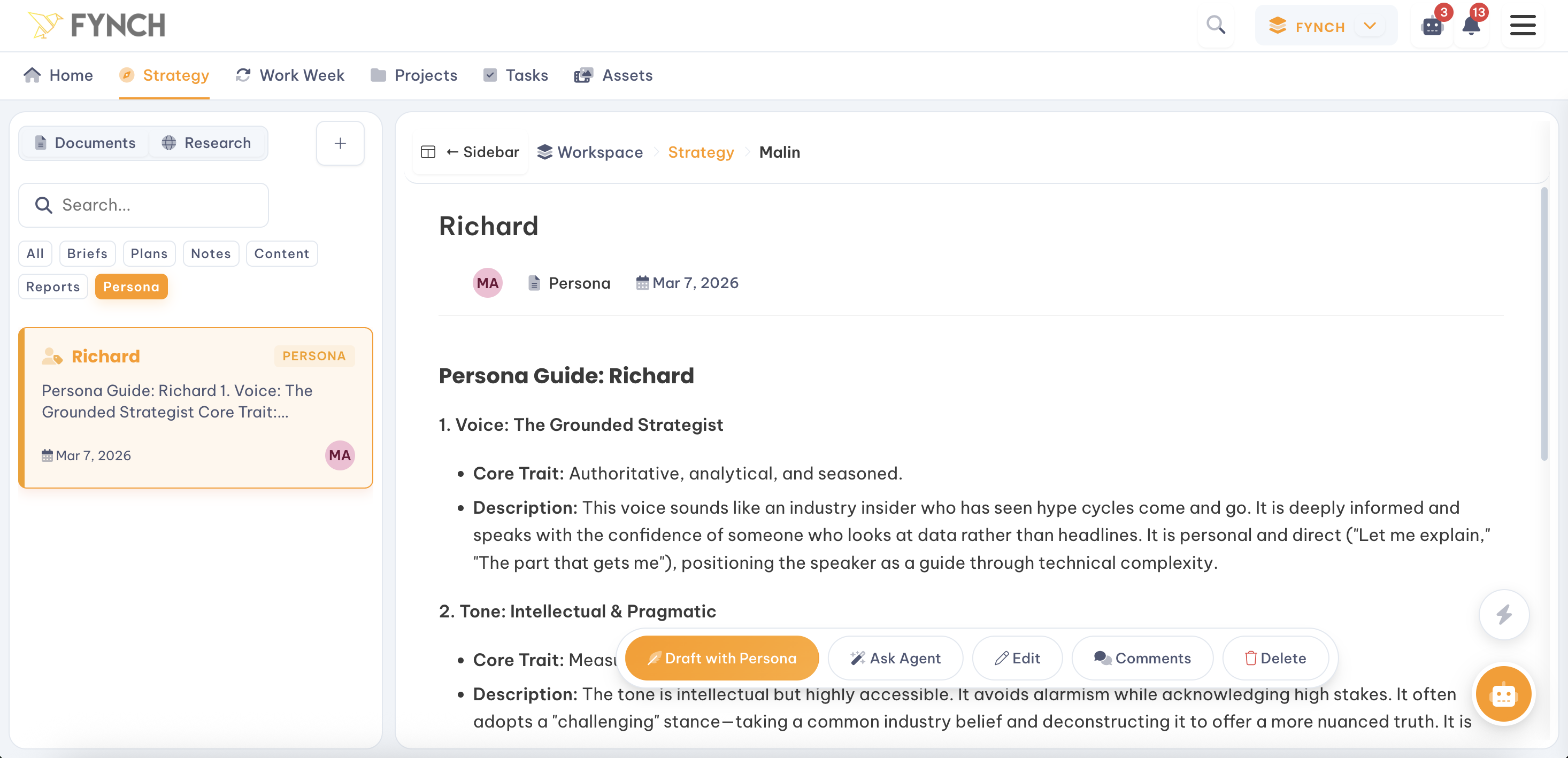
You can view, edit, or delete your personas at any time within the Strategy > Documents > Persona area of your Workspace.
Reviewing Styles: Click on any Persona to see the specific rules that have been extracted and generated (e.g., "Uses frequent rhetorical questions," "Avoids industry jargon").
Refining: If a Persona’s output isn't quite right, you can manually adjust its settings to be more or less formal, enthusiastic, or technical, etc.